Passwords are one of those things everyone knows they should handle better but rarely do. The bare minimum is not reusing them across sites, and beyond that, you really want a password manager doing the heavy lifting for you.
If you have been looking for options, you have probably come across Proton Pass (partner link) and Bitwarden as two of the more popular cloud-powered choices. For local hosting, something like KeePassXC lets you keep everything on your own machine without any cloud dependency at all.
But I recently came across something a bit different. It is web-based, fully open source, works completely outside any ecosystem, and does a fair bit more than just storing passwords. And you can self-host it as well. So let me tell you about it.
AliasVault: One Vault for Everything
Offered as an open source, end-to-end encrypted password and email alias manager, AliasVault lets you store passwords and create new aliases for use on the web.
The latter works like this. Instead of using your real name and email address everywhere, you generate a unique identity, password, and email alias for each service you sign up to.
If one of those services ever leaks your data or starts spamming you, you know exactly where it came from, and you can just kill that alias.
Operated under XIVISOFT, this is the work of Leendert de Borst, a software developer from the Netherlands who has been building privacy-focused tools since 2013. The project itself is licensed under AGPL-3.0, and the source is available on GitHub.
The cloud version runs on dedicated servers in Germany (Hetzner), within the EU, making it GDPR-compliant. There is also a full self-hosting path via Docker if you would rather keep everything on your own infrastructure.
Initial configuration
Getting started with AliasVault on the cloud version means heading over to app.aliasvault.net and creating a new vault.
The first thing I noticed is that it does not ask for an email address at signup. You just pick a username, anything you want, and that’s all the identifying information it collects.
Before you get to the vault itself, you are asked to agree to the terms and conditions. This is pretty standard for any web service, though the terms here are straightforward and not particularly alarming.
The short version is that you cannot use AliasVault for illegal purposes, you are responsible for keeping your account secure, and the project itself is not liable if you lose your master password and your data becomes inaccessible.
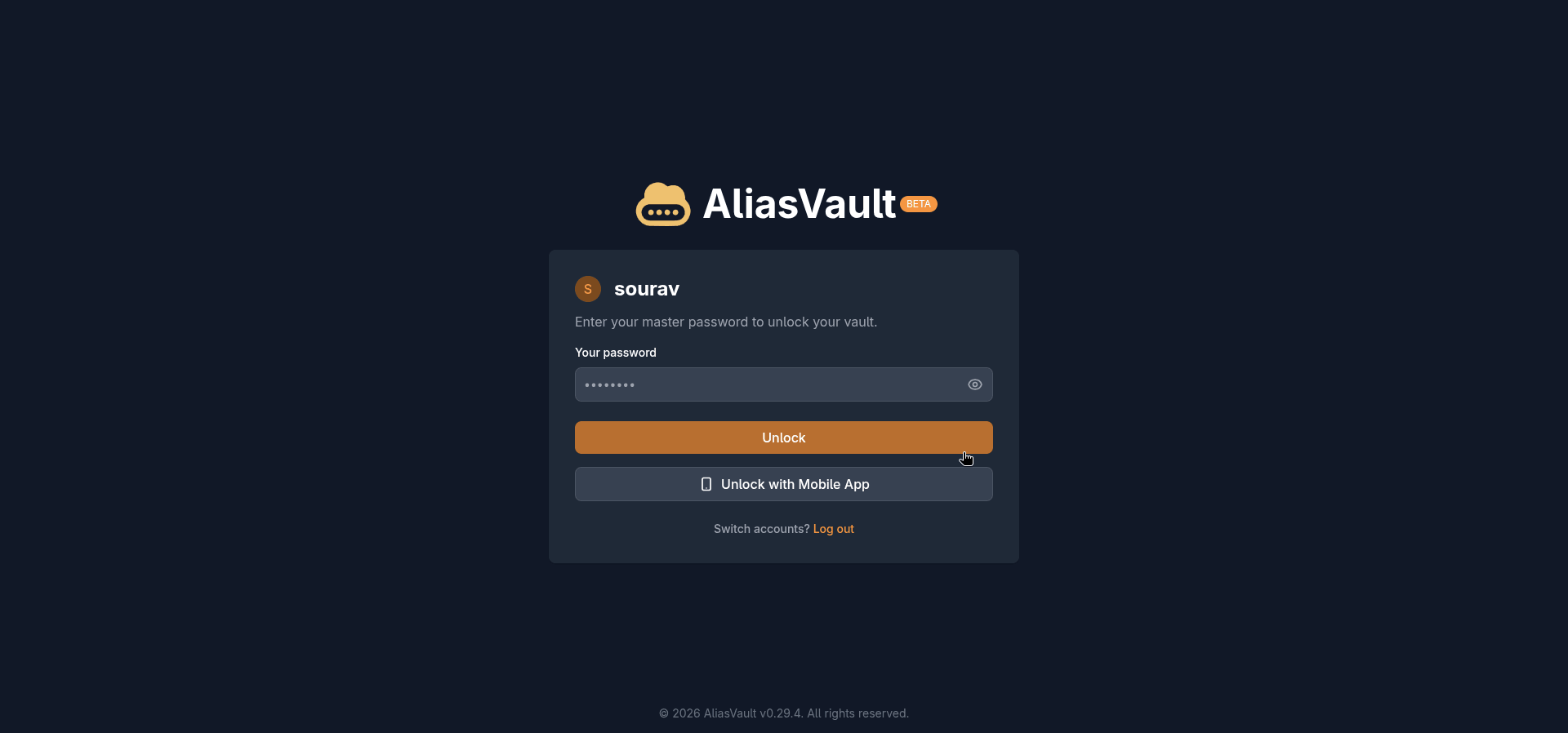
Once past that, you set your master password, and AliasVault shows a strength indicator right there during setup. A strong password is not optional here given the zero-knowledge architecture and the sensitive nature of the contents; lose it and the vault contents are gone for good.
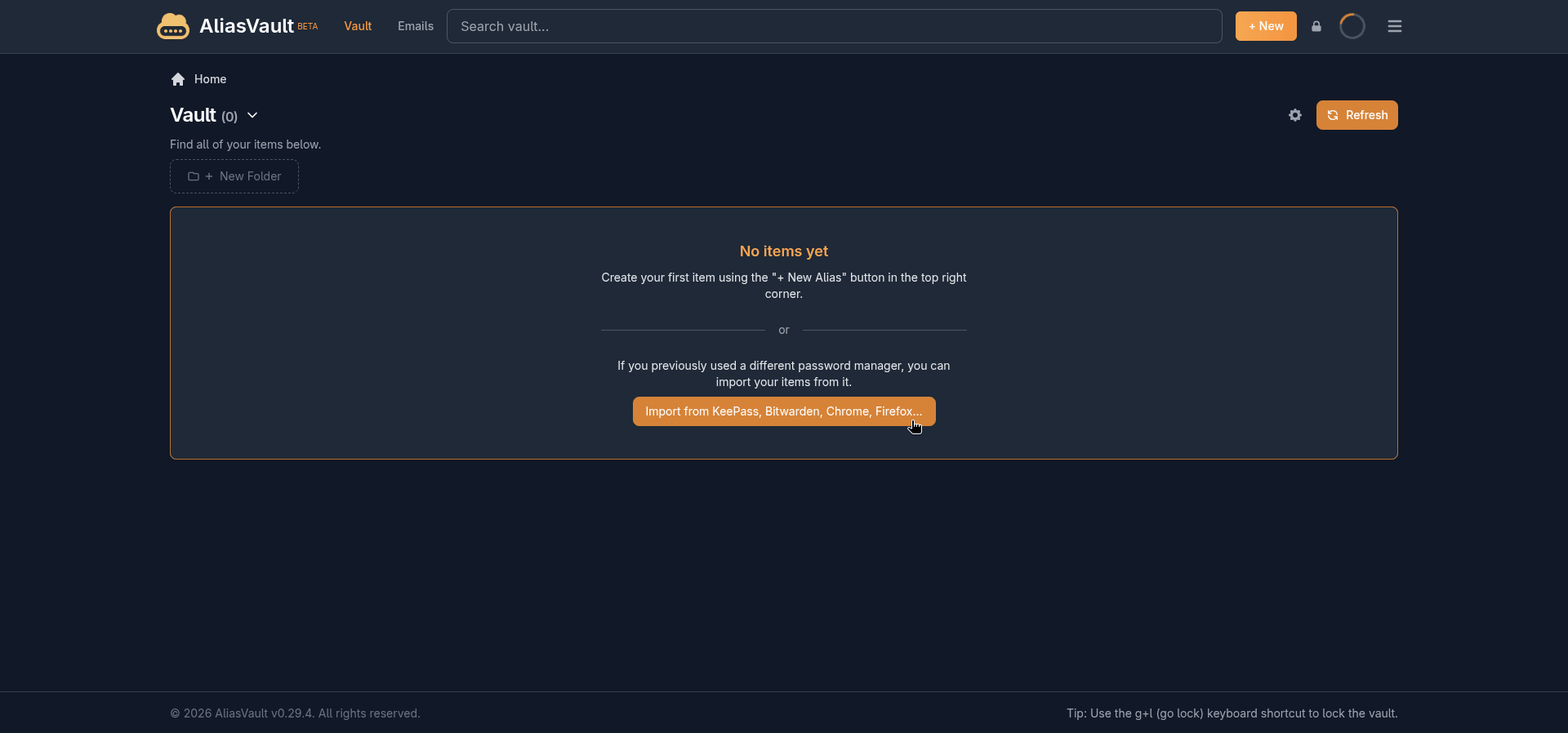
If you are coming from another password manager, the empty vault screen immediately displays an import button. AliasVault can pull in credentials from 1Password, Bitwarden, Chrome, Dashlane, Firefox, KeePass, KeePassXC, Proton Pass, and Strongbox.
Adding new logins
Clicking on the “+ New” button will give you multiple options to add a new entry for Login, Alias, Card, and Note. During my use, I mostly stuck to the Login entry, using it to add new credentials to the vault.
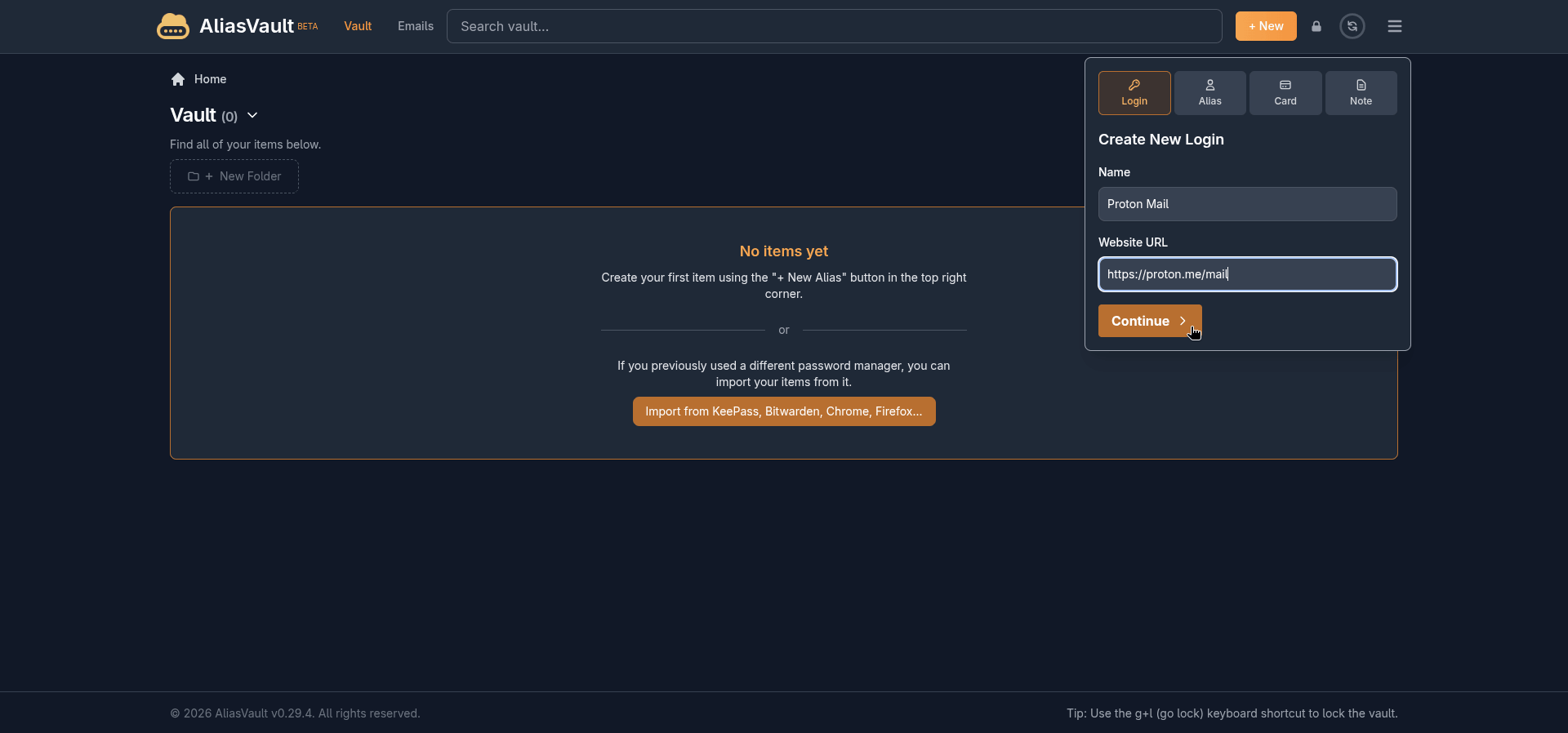
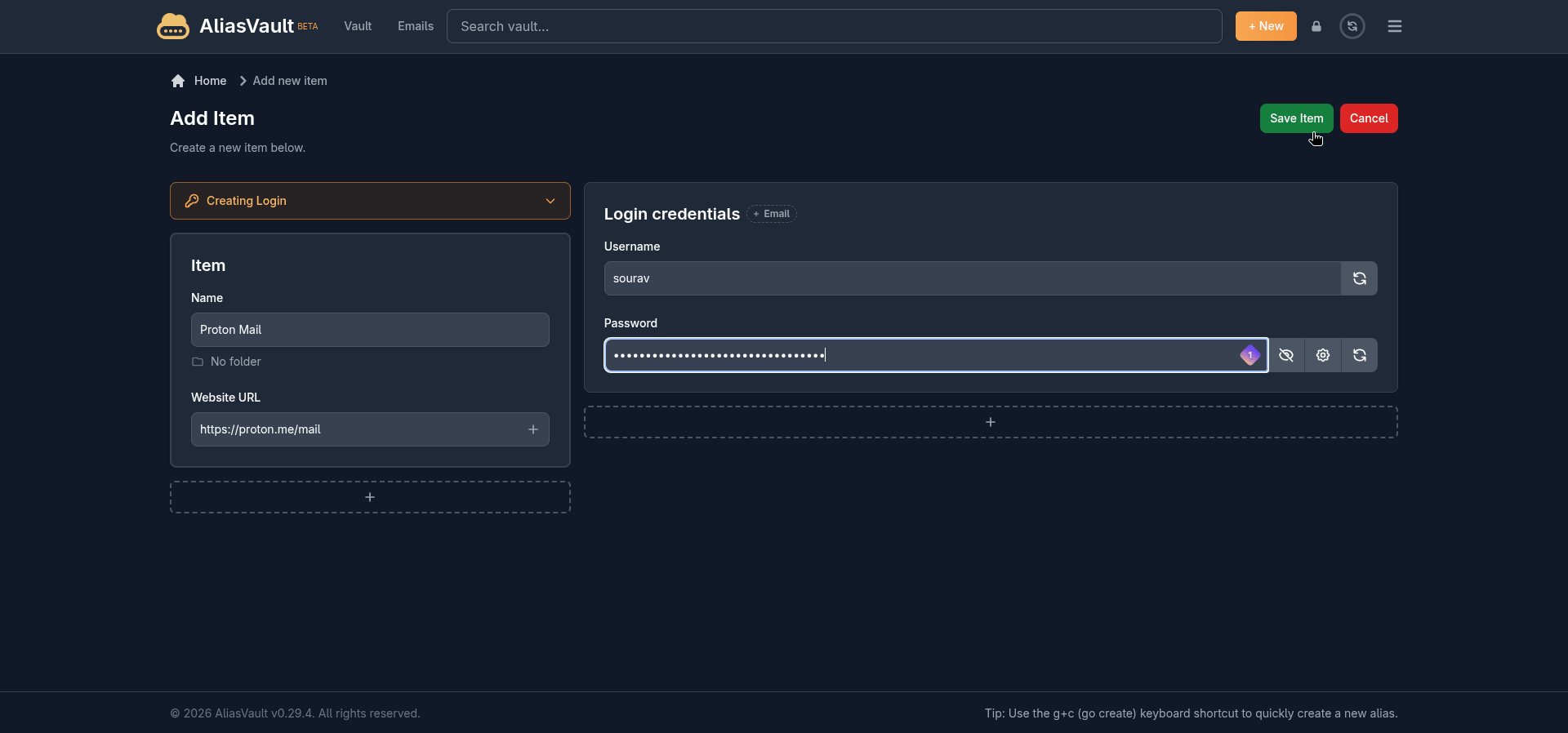
The interface presented here is easy to get used to. You enter the username, add the password, enter the website URL, and click on “Save Item” to get an item added to the vault.
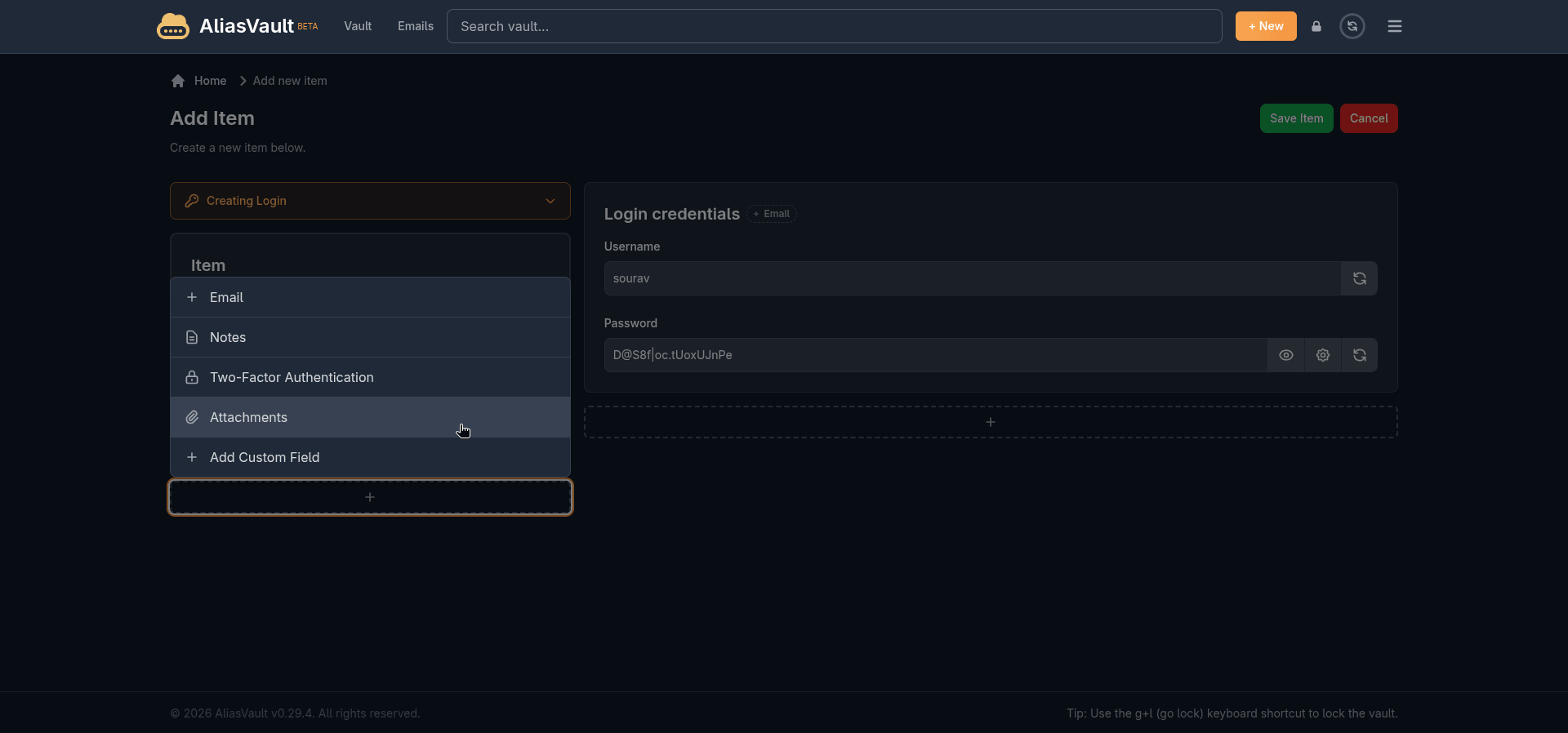
You can even generate passwords, and from the left-hand side menu or at the bottom of the item entry, you can add more content to a vault item, such as email addresses, notes, a two-factor authentication secret, file attachments, or a custom field.
Just click on the plus button to get going.
Keeping things organized is straightforward too. Creating a folder takes about three seconds. Click “+ New Folder“, type a name, and hit “Create“. Moving an existing login into a folder is done through the item’s edit screen, where a Select Folder dropdown lists all your folders.
What is missing, though, is anything resembling bulk management. There is no drag and drop to move items into folders, no batch select to reorganize a bunch of credentials at once, and no multi-select for bulk deletion.
If you are migrating a large existing vault and want to sort everything into folders, you are doing it one item at a time.
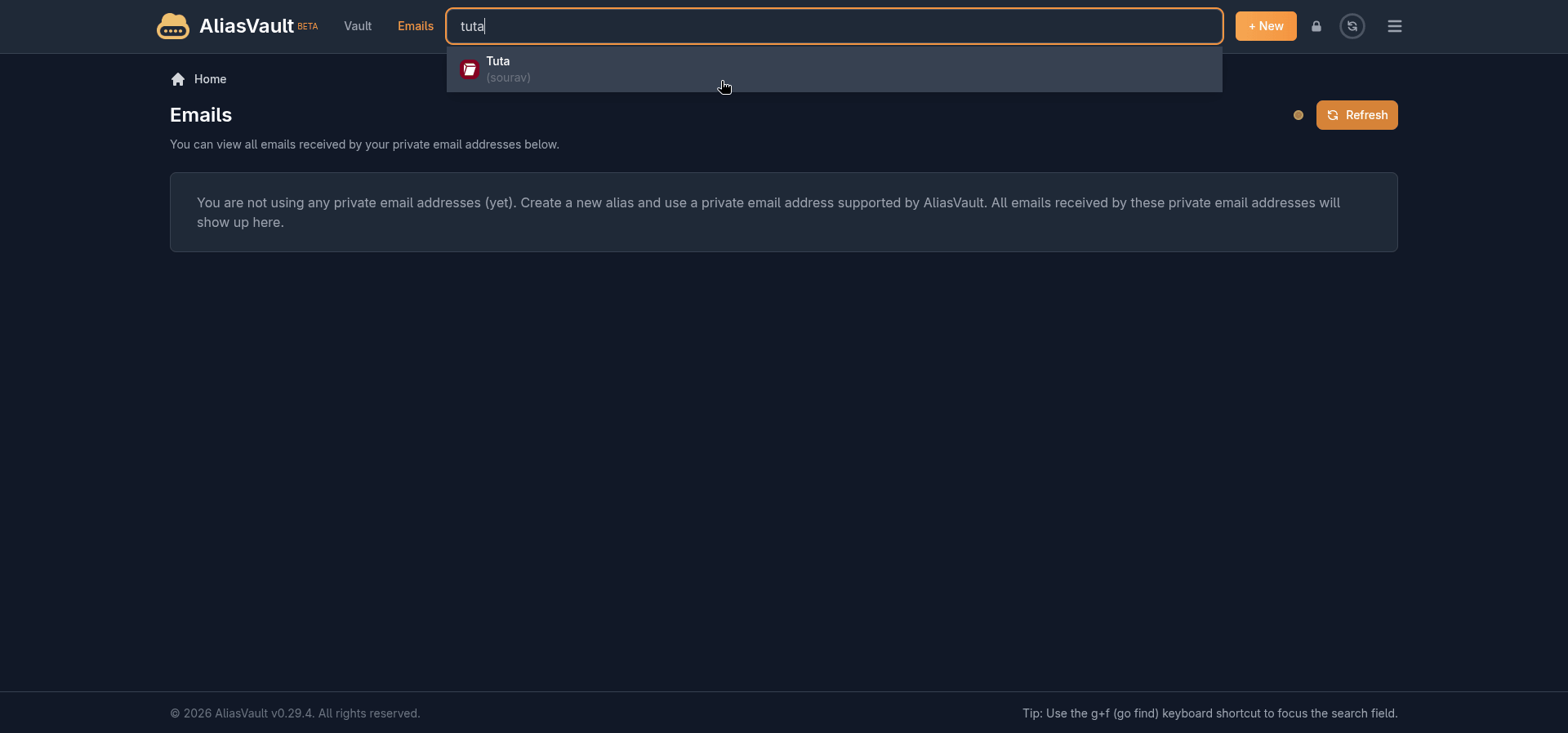
The search functionality does make navigating a crowded vault easier, at least. The search bar at the top of the interface queries across your entire vault in real time, pulling up matching items as you type, with icons shown.
Creating an alias
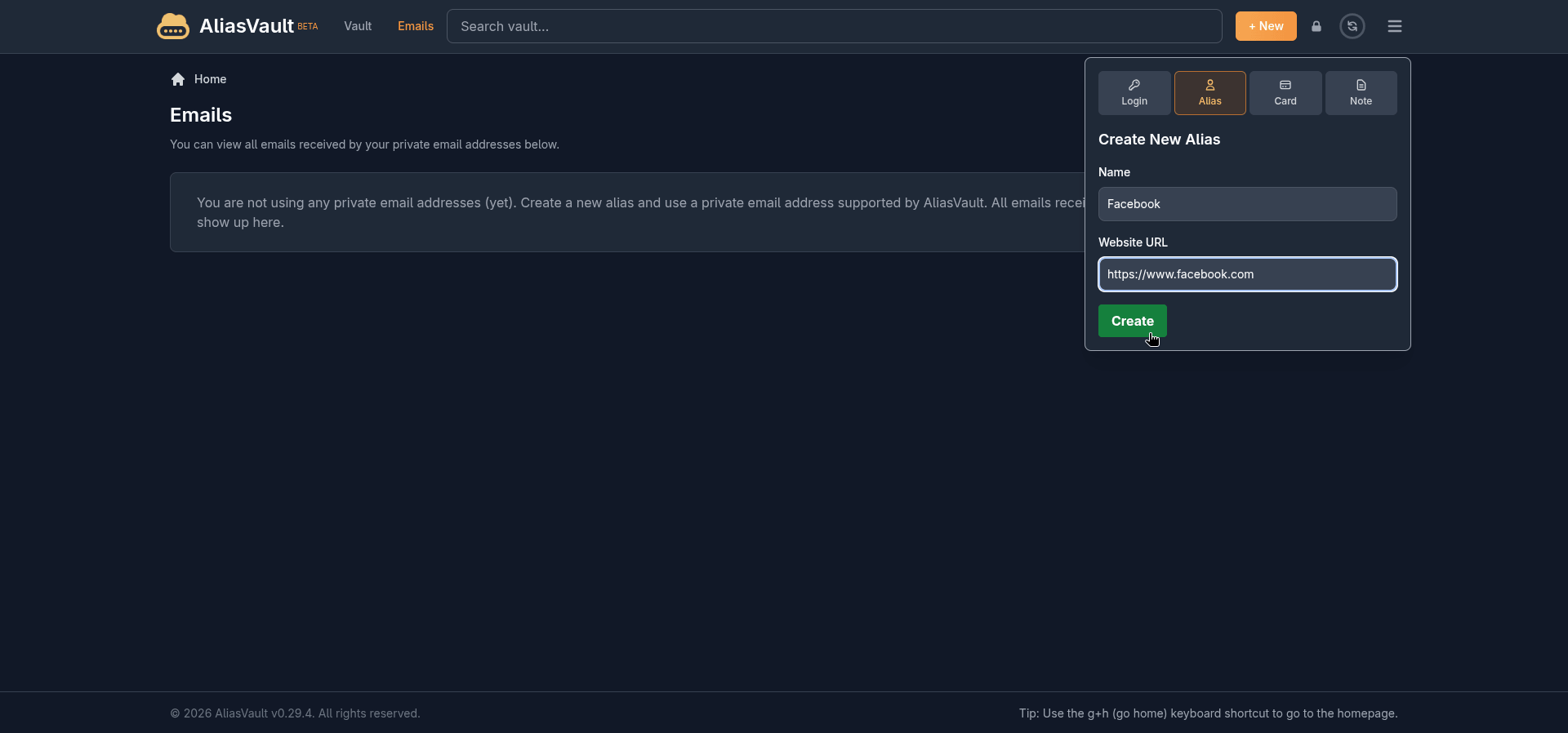
This is where AliasVault separates itself from a regular password manager. Switching to the Alias tab in the “+ New” panel lets you create a fictional identity tied to a service, not just a username and password.
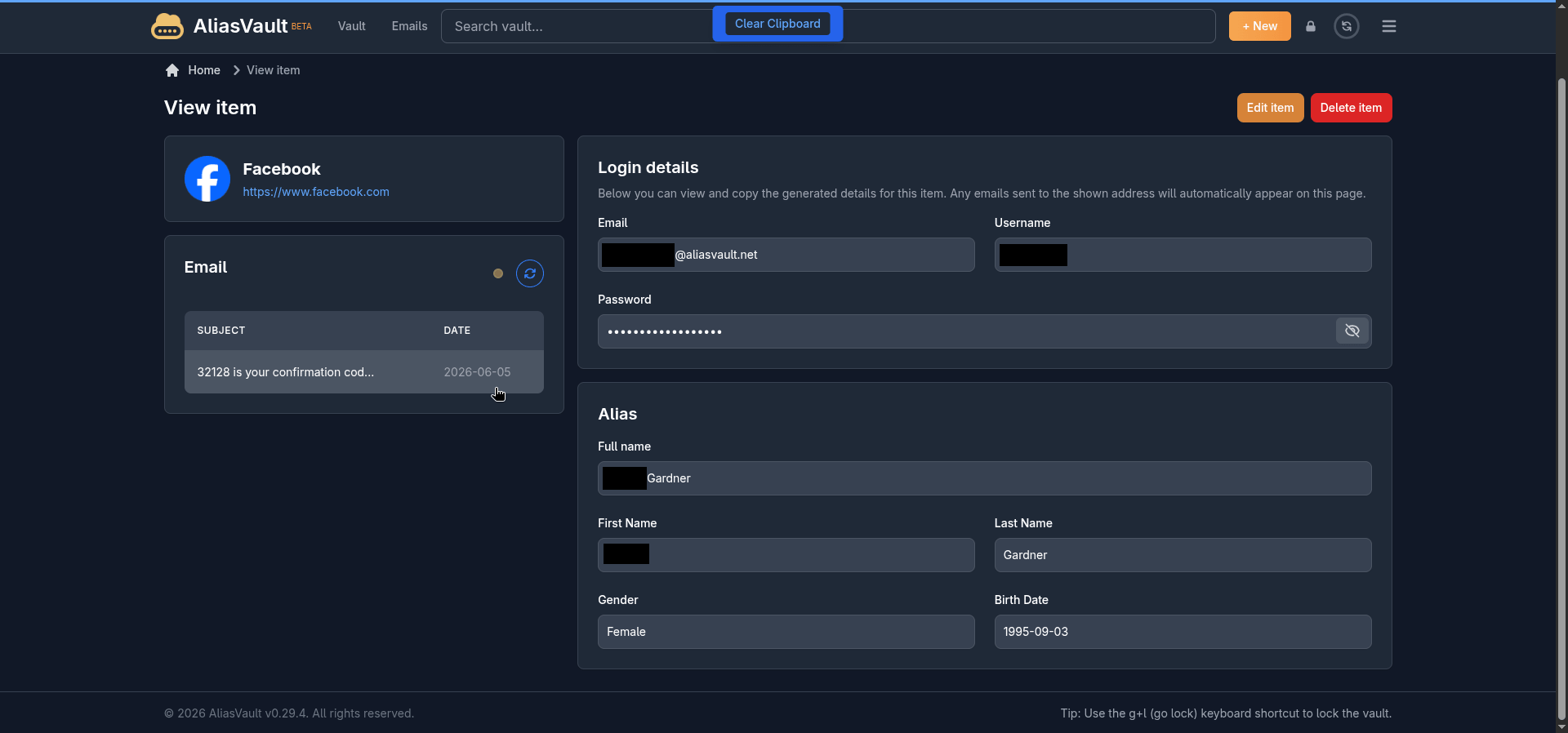
You give it a name and a website URL, hit Create, and AliasVault generates the whole package. A unique email address at the @aliasvault.net domain, a username, a strong password, and a fictitious identity complete with a first name, last name, gender, and birth date.
All of it is ready to use at signup for whatever service you are creating the alias for.
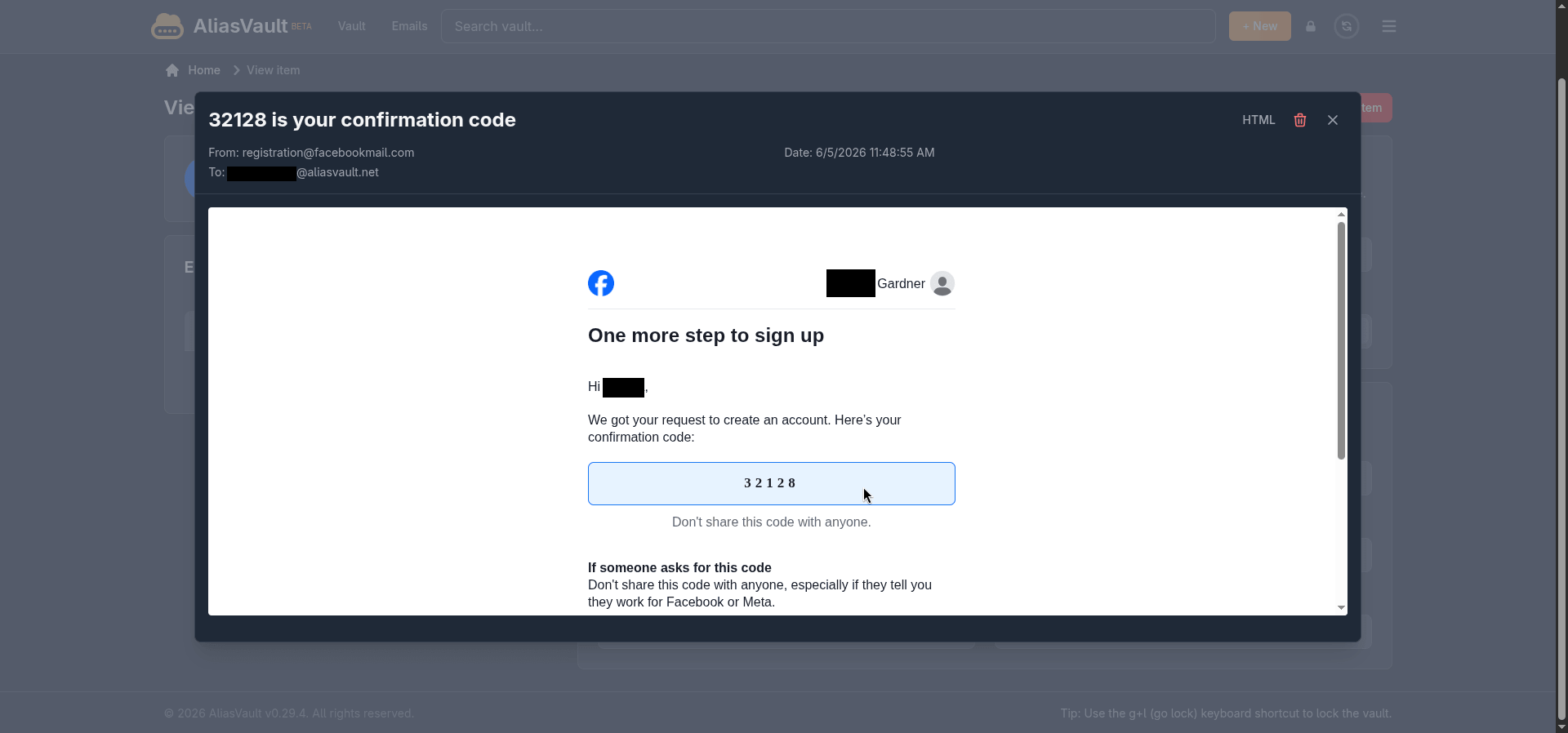
Any emails that land on that alias address show up directly on the item’s page inside the vault. I tested this with Facebook, and it worked well enough, getting multiple emails, including the OTP needed to confirm the signup.
The only wrinkle was Facebook asking me to verify the account with a live selfie. ☠️
Another thing to keep in mind is that the built-in email server is currently receive-only.
You cannot reply to or forward emails from your alias addresses on the cloud version. It is a deliberate limitation for now, listed on the roadmap as a future paid feature, so if two-way alias email is something you need, that is worth factoring in.
The browser extension
AliasVault also has browser extensions available for Chrome, Firefox, Edge, Safari, and Brave. I tested it on Vivaldi using the Chrome extension, and the experience was clean.
Logging in connects directly to aliasvault.net, and you get a “Log in using Mobile App” option here as you do on the web app if you would rather not type your master password. I didn’t test this one, but it should work well.
Once inside, the extension mirrors the web app fairly closely.
You get your full vault list with website icons, folder filters, a search bar, and a “+” button to add new items without leaving the browser. The Emails tab also works here, so you can check alias inbox activity without switching to the web app.
It even shows relevant saved credentials automatically when you land on a website you have a login stored for.
The Settings tab also has a few things worth knowing about. You can switch the vault unlock method between your master password and a PIN code, with the PIN falling back to the master password after three failed attempts.
There is also an auto-lock timeout you can configure, ranging from 15 seconds all the way up to 24 hours, or never if that is your preference. Clipboard behavior is configurable too. Copied sensitive data is cleared automatically after 10 seconds by default, with options to change that to 5, 15, or never.
Closing words
AliasVault is one of those tools that makes you wonder why no one put these two things together sooner. A password manager that also handles email aliasing is something that Proton Pass does, but there are some limits involved.
While it is still in beta and missing a few things like bulk credential management and reply support for aliases, nothing about the current state feels rough or half-baked. If privacy matters to you and you have been running a password manager and a separate alias service side by side, this is worth a serious look.
Suggested Read 📖: Bitwarden vs. Proton Pass
Bitwarden vs. Proton Pass: What’s The Best Password Manager?
What is your favorite open-source password manager?